
Menu Management
Overview
Menu Management allows you to create, edit, and organize your restaurant's menu items, categories, and pricing.
Key Features
- Edit Menu: Create and modify menu items, categories, and structure
- Category Management: Organize items into logical categories
- Multiple Menus: Set up different menus for different times or seasons
- Multi-language Support: Add menu items in multiple languages
- Printer Configuration: Assign different printers to different menu categories
Getting Started
To access Menu Management, go to Settings → Edit Menu in your POS system.
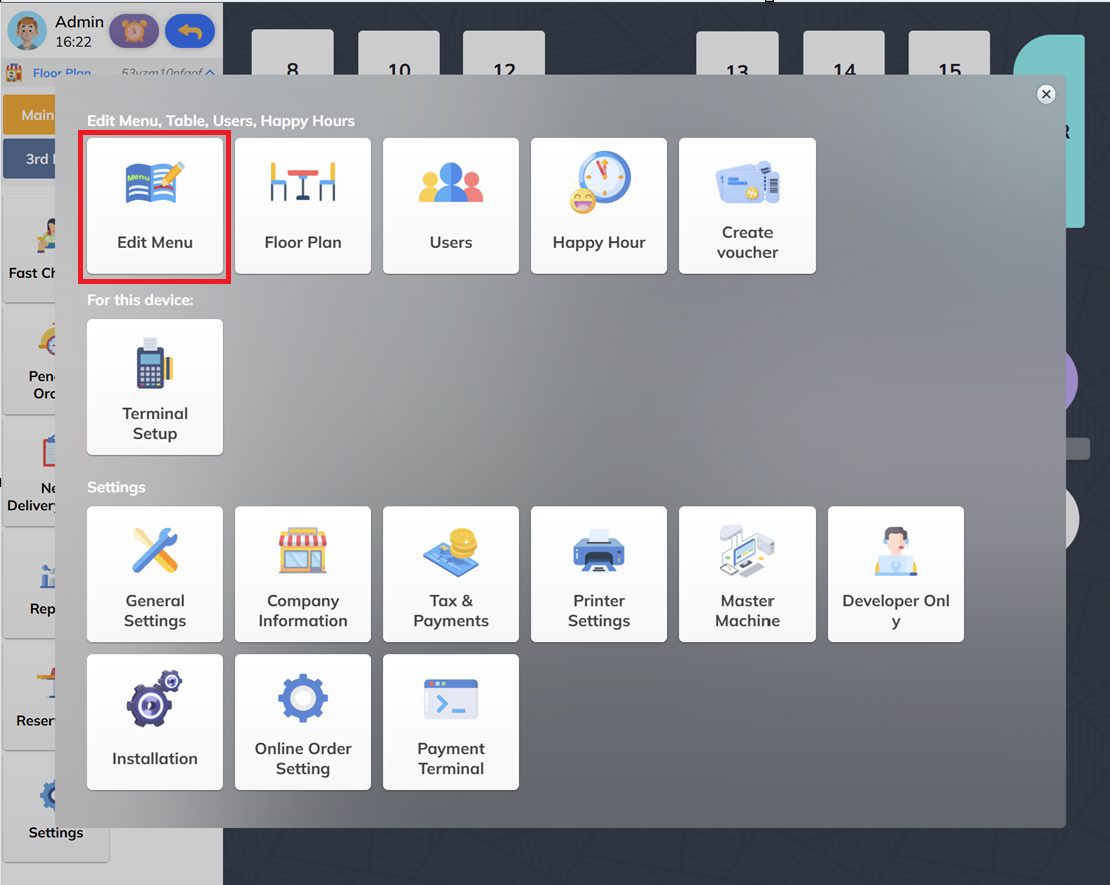
Figure 1: Location of Edit Menu button in Settings
Topics in this section:
- Edit Menu - Complete guide to editing menus, categories, and items