
Scrollable Layout
Enable scrollable layout when you have many menu categories and want to display them in a scrollable interface instead of multiple pages.
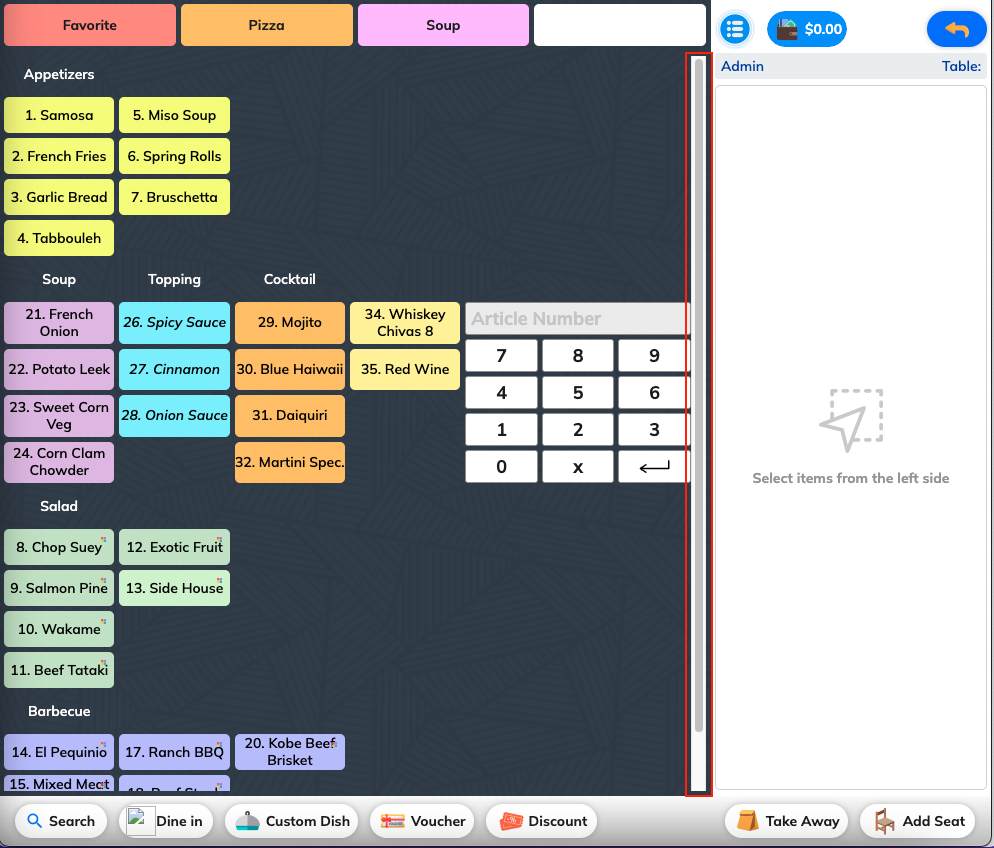
Benefits of Scrollable Layout
Improved Navigation
- Continuous scrolling: No page breaks between categories
- Smooth browsing: Seamless navigation through all menu items
- Quick access: Easy to find items without page switching
Better User Experience
- Mobile-friendly: Natural scrolling behavior on mobile devices
- Familiar interface: Similar to modern app interfaces
- Reduced clicks: Less navigation required to browse menu
Space Efficiency
- Compact display: More categories visible at once
- Responsive design: Adapts to different screen sizes
- Optimized layout: Better use of screen real estate
When to Use Scrollable Layout
Large Menu Catalogs
- Multiple categories: More than 6-8 categories
- Extensive offerings: Many items per category
- Seasonal menus: Frequently changing menu items
Device Considerations
- Tablet ordering: Touch-friendly scrolling interface
- Mobile apps: Natural mobile browsing experience
- Kiosk displays: Simplified navigation for customers
Customer Preferences
- Modern expectations: Customers familiar with scrolling interfaces
- Quick browsing: Fast menu exploration
- Visual scanning: Easy to scan all options
Configuration Options
Scroll Behavior
- Smooth scrolling: Gradual movement between sections
- Snap to sections: Automatic alignment to category headers
- Momentum scrolling: Natural scrolling physics
Performance Settings
- Lazy loading: Load images as needed
- Caching: Store frequently accessed content
- Optimization: Smooth performance on all devices
Setup Instructions
Enabling Scrollable Layout
- Access menu display settings
- Toggle "Scrollable Layout" option
- Configure scroll behavior preferences
- Test on different devices
Customization Options
- Scroll speed: Adjust scrolling sensitivity
- Category spacing: Control space between sections
- Visual effects: Enable or disable animations
Best Practices
Content Organization
- Logical ordering: Arrange categories in logical sequence
- Popular items first: Place bestsellers early in scroll
- Clear sections: Distinct visual separation between categories
Comparison: Scrollable vs. Paginated
Scrollable Layout Advantages
- Continuous navigation experience
- Better for browsing and discovery
- Mobile-friendly interface
- Faster access to all content
Paginated Layout Advantages
- Better performance with very large menus
- Clearer category separation
- Traditional, familiar interface
- Easier content management
Choosing the Right Option
- Menu size: Scrollable for smaller to medium menus
- Device usage: Scrollable for mobile-heavy usage
- Customer preference: Test with your specific audience