
Add Customer Info
⚠️ Note: This feature is only available for dine-in orders (orders created from a table).
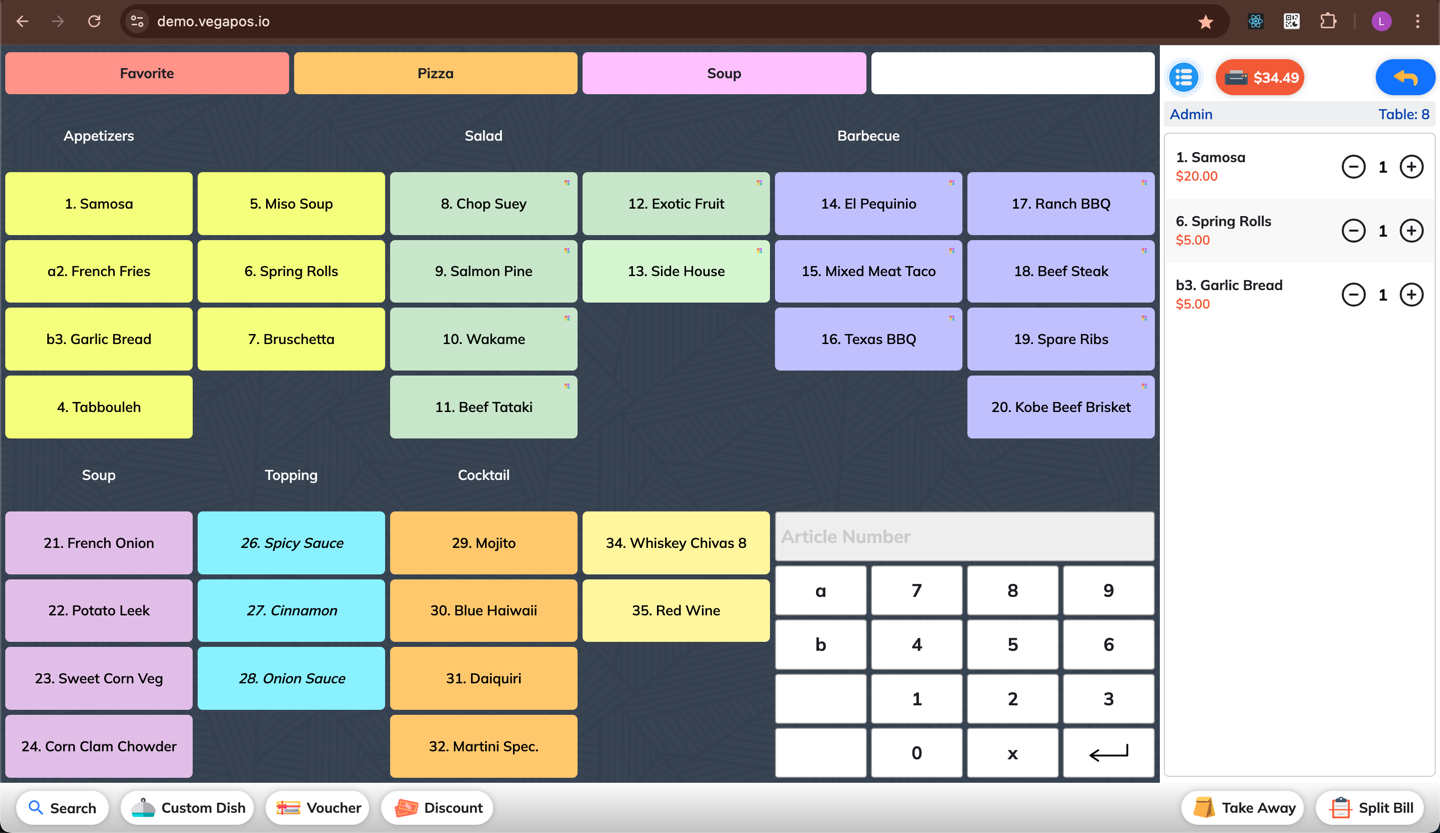
1. Create an Order
Open the order screen (open a table).
Add items to that order
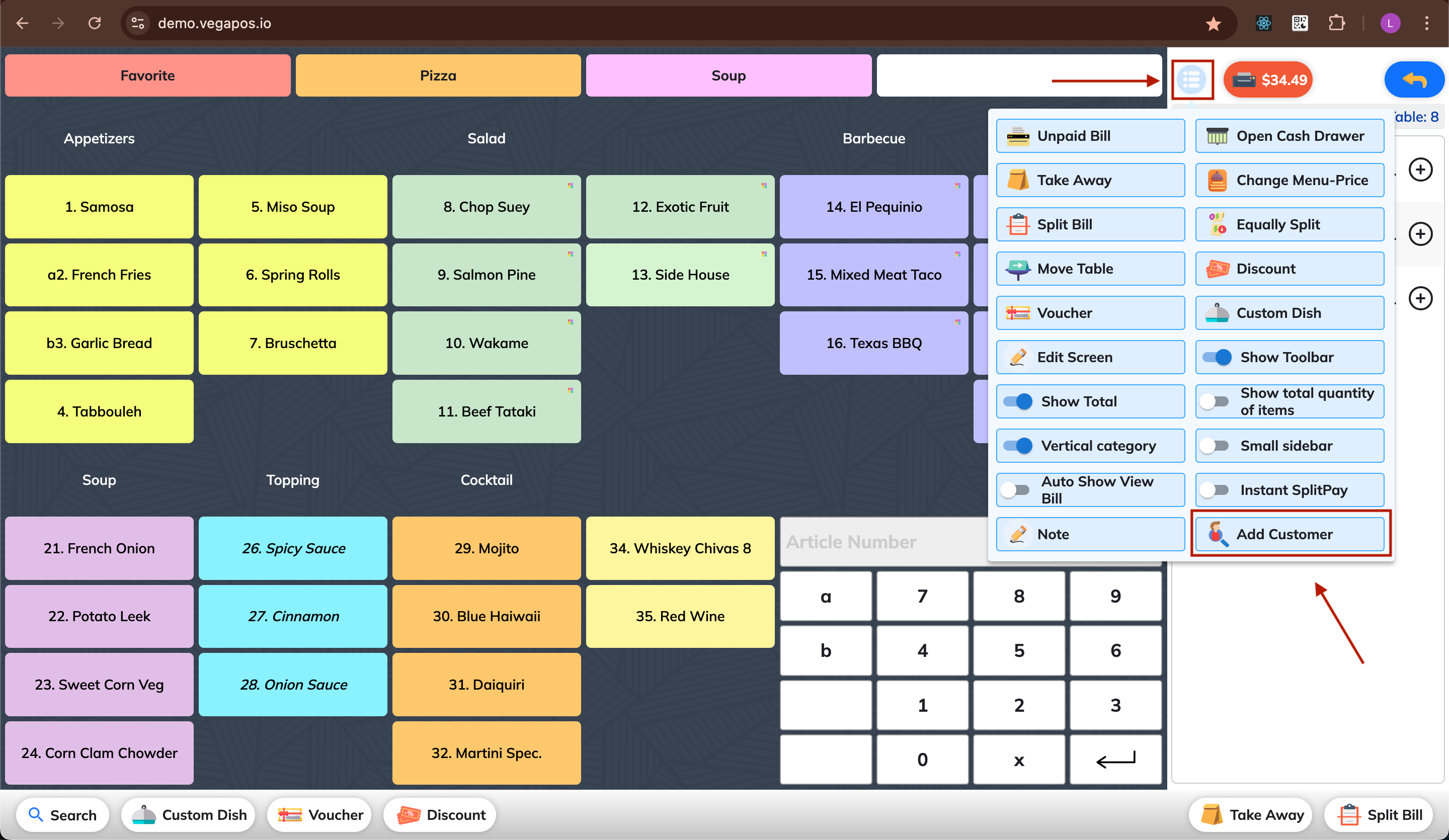
2. Open Add Customer
Tap/Click the Add Customer button in the More menu.
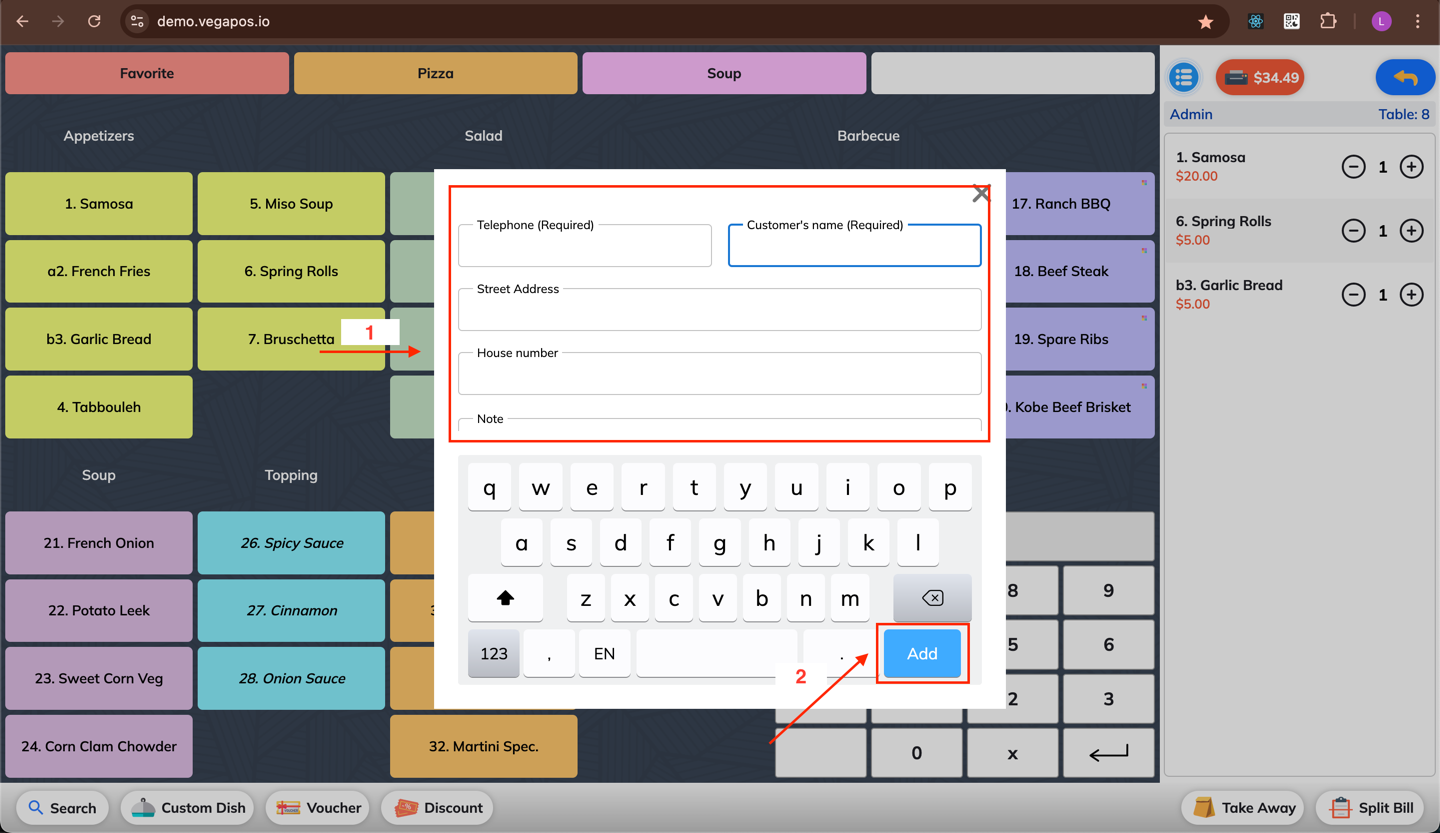
3. Enter Customer Information
Fill in the customer's name, telephone, and other details.
Click the Add button to finish attaching the customer info to the current order.
🔍 Smart Suggestions:
If the customer already exists in the system, suggestions will appear as you type their name or phone number.
Simply select the suggested customer to attach their info to the order.
➕ Adding a New Customer
- If the customer doesn't exist yet, completing the form and adding them to the order will automatically save them into the system for future use.