
Show total quantity of items
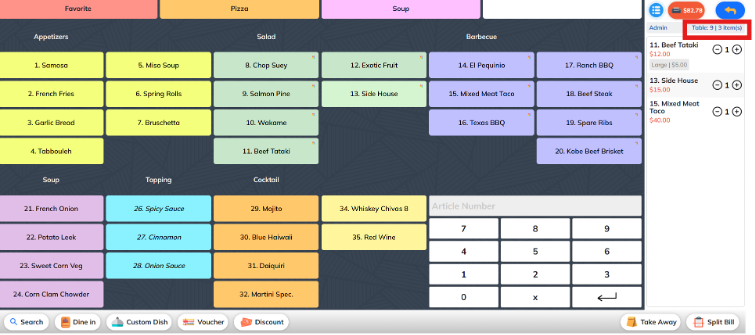
This option displays the total number of items in the order, regardless of item type.
It gives staff a quick overview of how many individual items were ordered in total.
✅ Example:
If a customer orders:
1 x Beef Totoki
1 x Side House
1 x Mixed Meat Taco
Then the total quantity of items shown will be: 3