
GENERAL
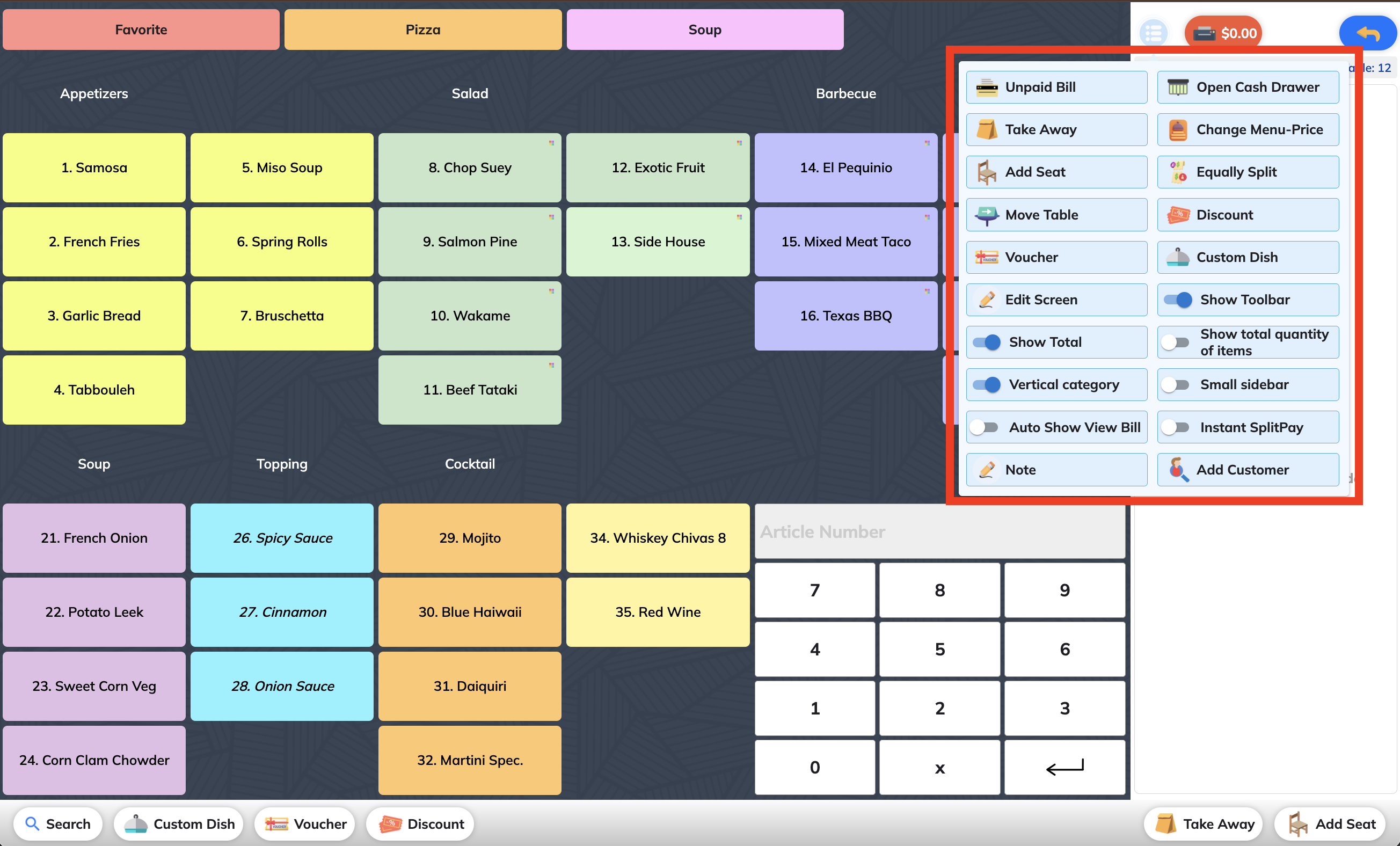
Unpaid Bill: used to print unpaid bills
Open Cash Drawer: allows opening the cash drawer without processing a transaction
Take Away: used to apply Take Away mode (e.g. apply take away tax). See more
Change Menu-Price: change your other menus when you have multiple menus
Add Seat: allows adding seat(s) when splitting the bill. See more
Equally Split: used to split the bill into equal parts. See more
Move Table: allows moving selected dishes/all order to another table and saving the new order. See more
Discount: used to apply a discount to the order. See more
Voucher: allows managing vouchers (create/sell, redeem). See more
Custom Dish: used to add a dish not available in the menu. See more
Edit Screen: allows customizing the Order screen (e.g. category layout, font size, height). See more
Show Toolbar: allows showing or hiding the toolbar at the bottom of the screen. See more
Show Total: allows showing or hiding the total amount at the red button (1) in the top right corner. See more
Vertical Category: allows changing the position of categories to vertical layout. See more
Show Total Quantity of Items: displays the total number of items in the order for quick overview. See more
Small Sidebar: reduces sidebar size when enabled. See more
Auto Show View Bill: automatically shows the bill summary after tapping checkout - without needing to manually press View Bill.
Instant SplitPay: used to quickly split bill and make payment
Add note: used to add note to order See more
Add customer: used to add customer info to order. See more