Custom Dish
Use Custom Dish for items not in the menu.
Enter item name, price, and tax manually.
1. Open the Custom Dish Menu
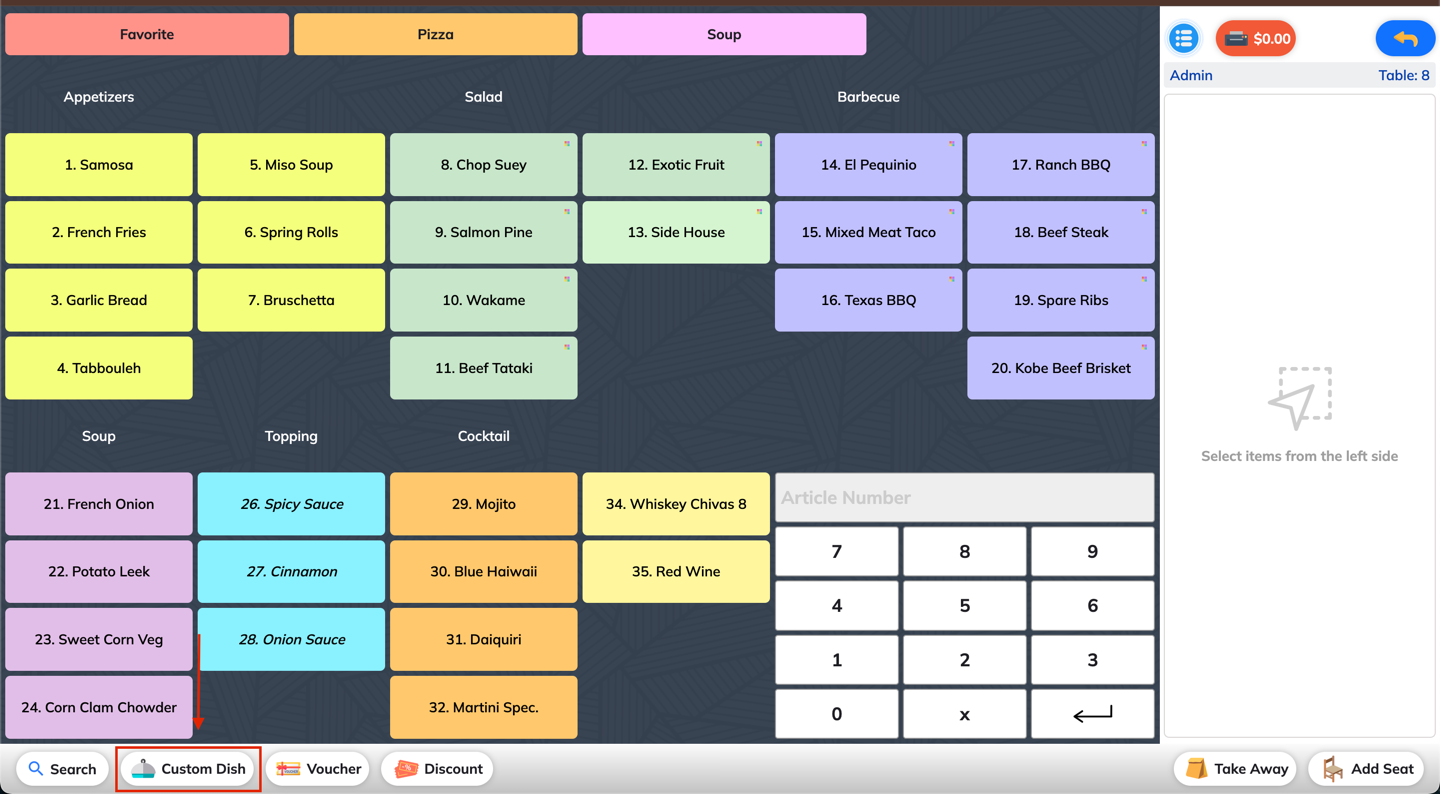
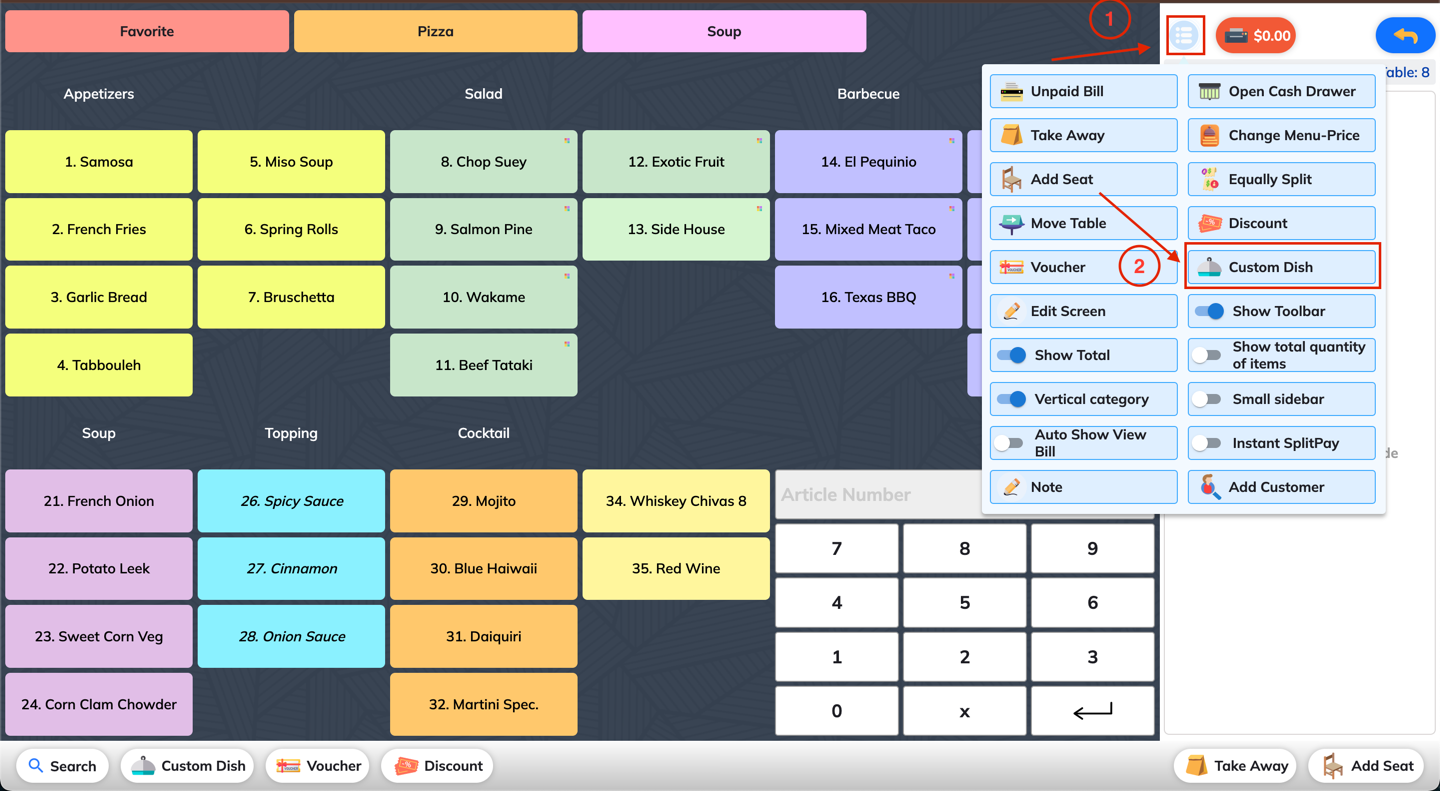
Click on Custom Dish from the toolbar, or go to the More menu and select Custom Dish.
2. Select Dish Type
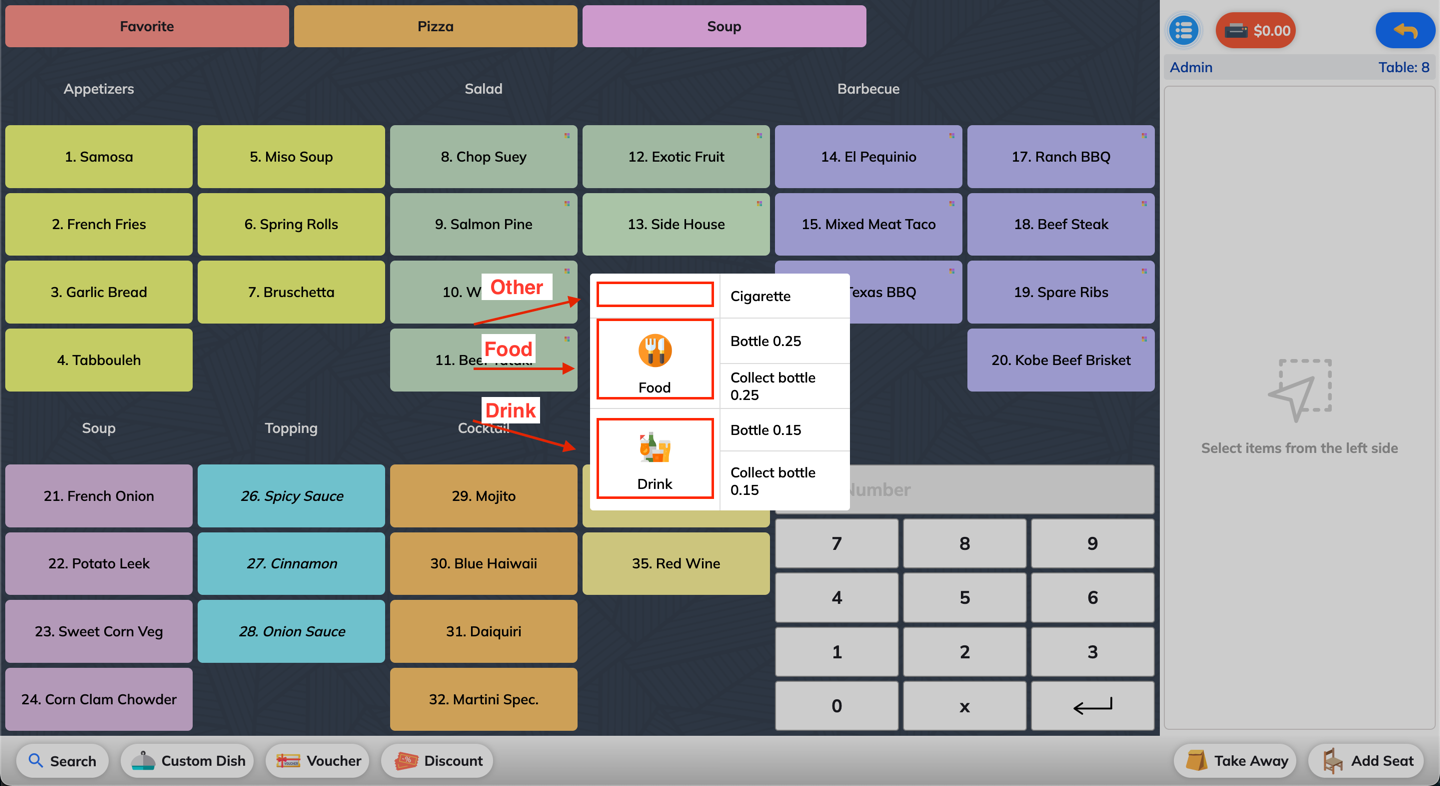
Choose the appropriate type for your custom dish:
🥘 Food
🍹 Drink
🧾 Other
3. Enter Dish Details And Add Custom Dish
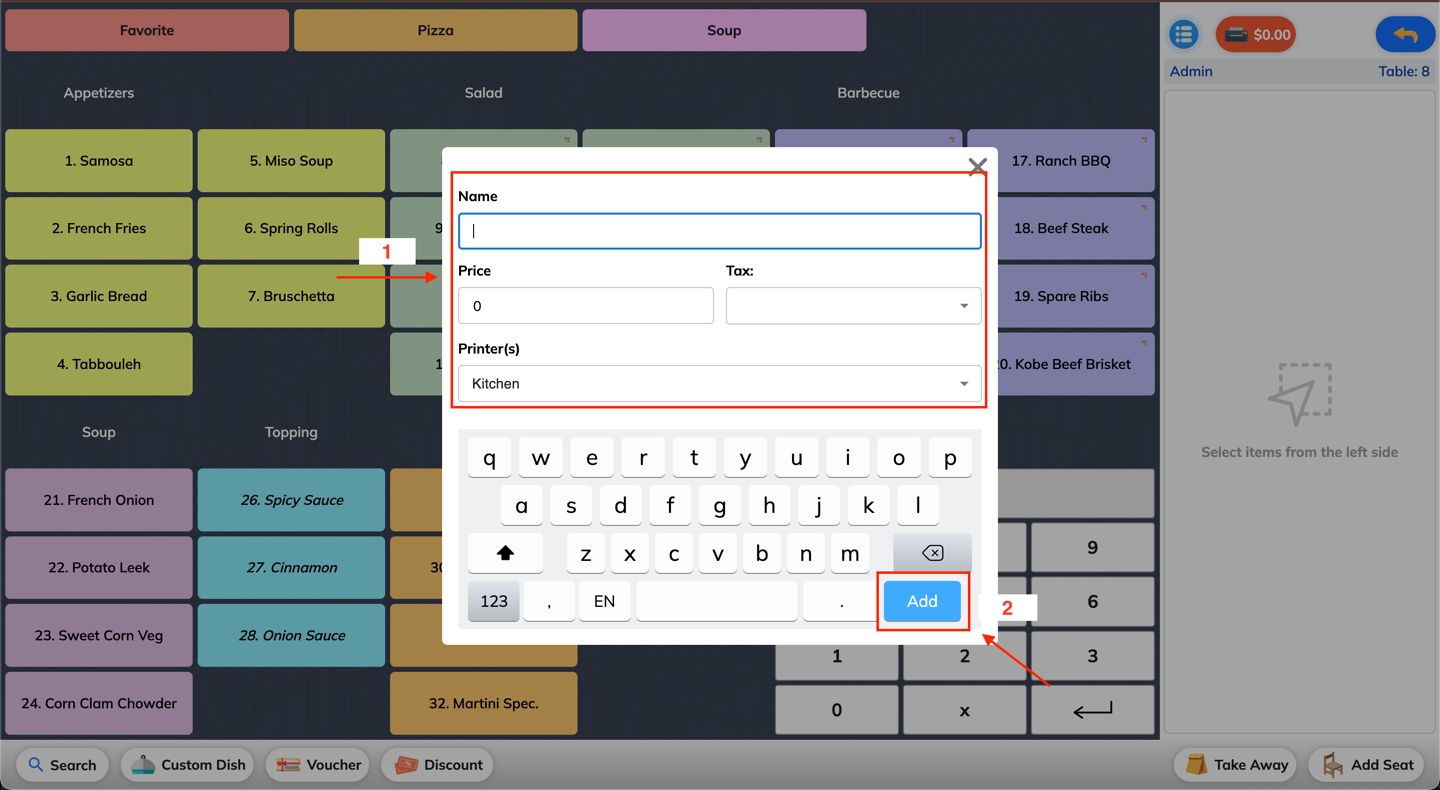
Name: Enter the name of the dish.
Price: Input the selling price.
Tax: Select the correct tax rate to apply.
Printer: Choose a printer for the kitchen/bar (e.g., Kitchen Printer, Bar Printer).