Search
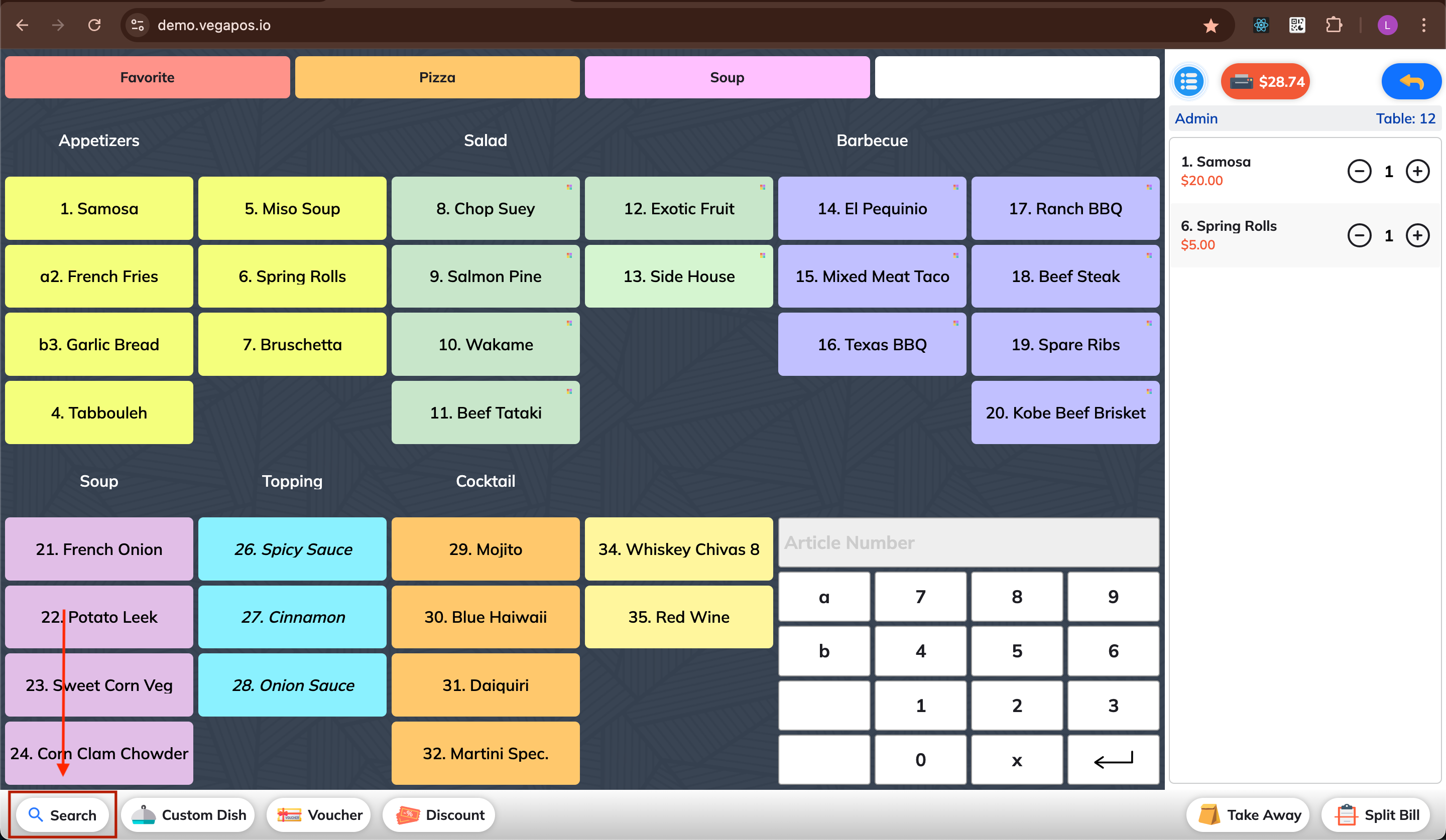
1. Open the Search Tool
Click the Search button on the toolbar.
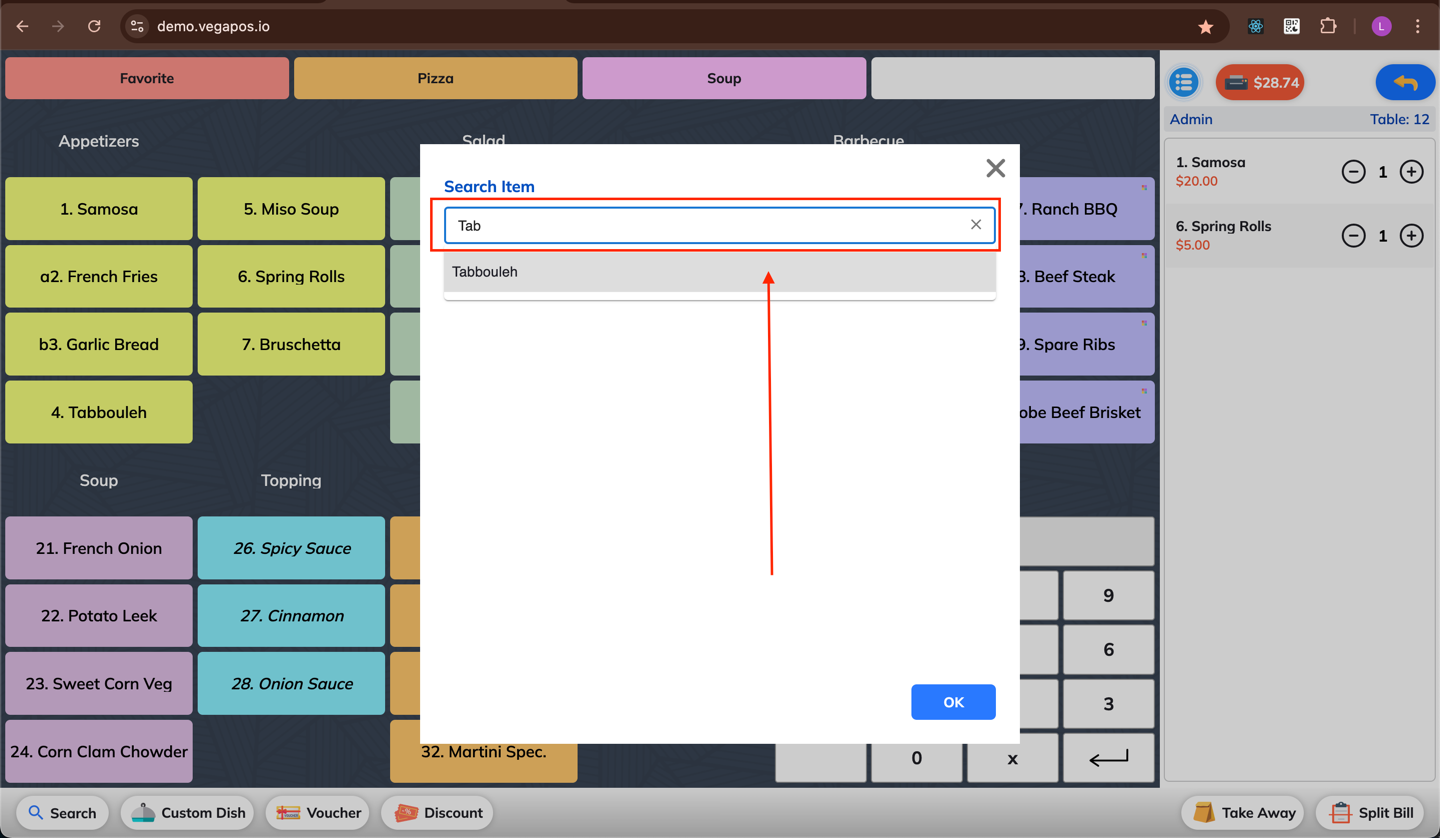
2. Enter Item Name
Type the name of the item you want to search for.
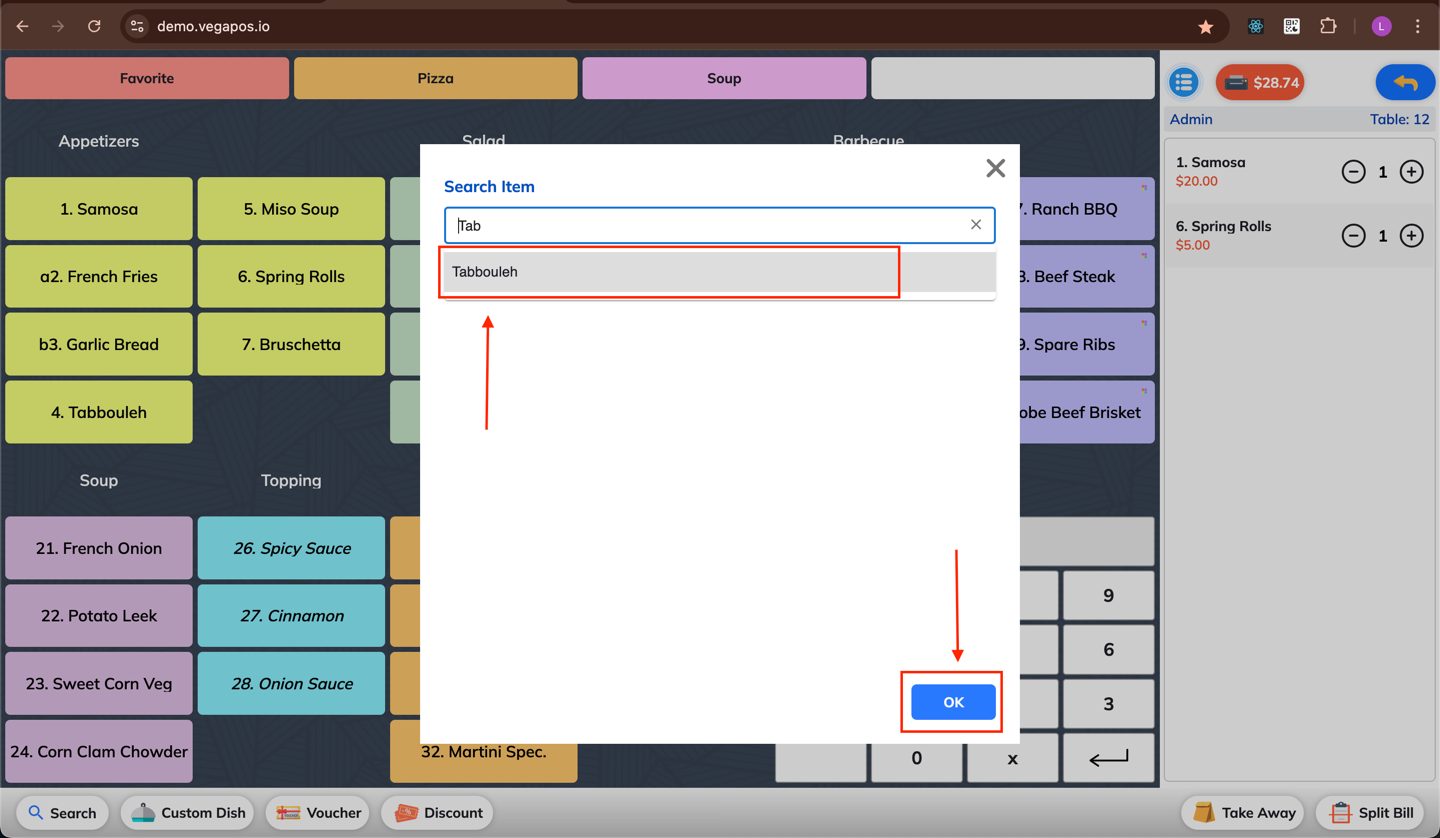
3. Select and Confirm
Select the desired item from the results.
Click OK — the item will be added to the current order.